GIFs
- maximize-pane
- transform-string-by-select-list
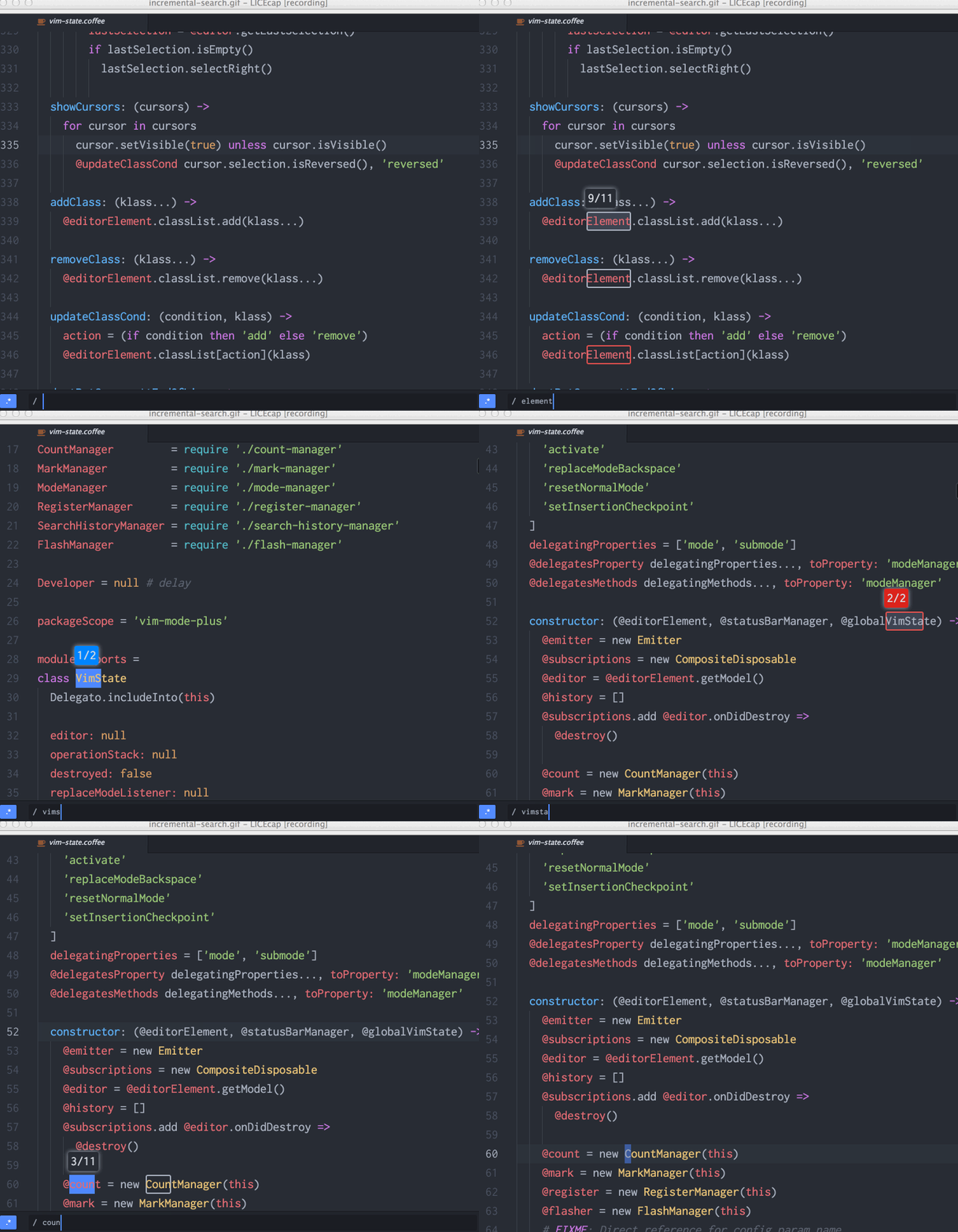
- Incremental search
- Motion move-up-to-edge, move-down-to-edge
- Motion move-to-next-fold-start, move-to-previous-fold-start
- Flash on undo and redo
- Surround builtin
- MapSurround
- Visual block mode builtin.
- AnyPair TextObject
- AnyPairAllowForwarding TextObject
- Flash on operate
- Hover icon
- Hover emoji
- ChangeSurroundAnyPair Operator
- Flash matched word on SearchCurrentWord
- Submode shift in Visual mode.
- increase/decrease number in visual-mode.
g vto re-select previous visual area.
For macOS user, cmd-enter maximize current focused pane.

vim-mode-plus supports lots of string transformation operator.
But remembering all of its keymap is diffcult.
transform-string-by-select-list allow user to choose operator to use from select-list.

You can move between match with tab and shift-tab.
Like j and k but only stop at edge only.
By default [ and ] is mapped to these motion.

Move around fold startRow or endRow.
Also end version is available(move-to-next-fold-end, move-to-previous-fold-end).

Red for deletion, green for addition and put cursor on start of change(atom's default is end of change)

Off course, you can repeat with ..

Apply surround to each word in target(TextObject/Motion/Visual selection).


Auto detect inner and a Pair, and expandable.

Auto detect inner and a Pair with allowing forwarding range.


Auto detect pair, and pre-select target range and show pair char which will be changed on hover.

When search with #, *, show 'current/total' match on hover, and flash word under cursor.

With showing cursor appropriately in charcterwise and blockwise mode(still cursor hidden in linewise).


