Guides
Udon Toolkit might be a bit weird to use at first, so here are some examples of real-world things you might want to build with it.
The basic principle of most things in the Toolkit is that there are Triggers and Actions.
Triggers react to player's input and call Actions to do things in the world, if you think about Toolkit in those terms - you should be up and running in notime!
An example of setting up a mirror toggle via UI Button would look like this:
- Add a VRC Mirror prefab, disable it to save performance by default
- Add a
Universal Actionto the Mirror object - Make sure
Activeis checked, checkFire Object Toggles, click on theGame Objects Listand clickAdd Element - Drag your Mirror object into the empty field, select
Togglein the dropdown on the right
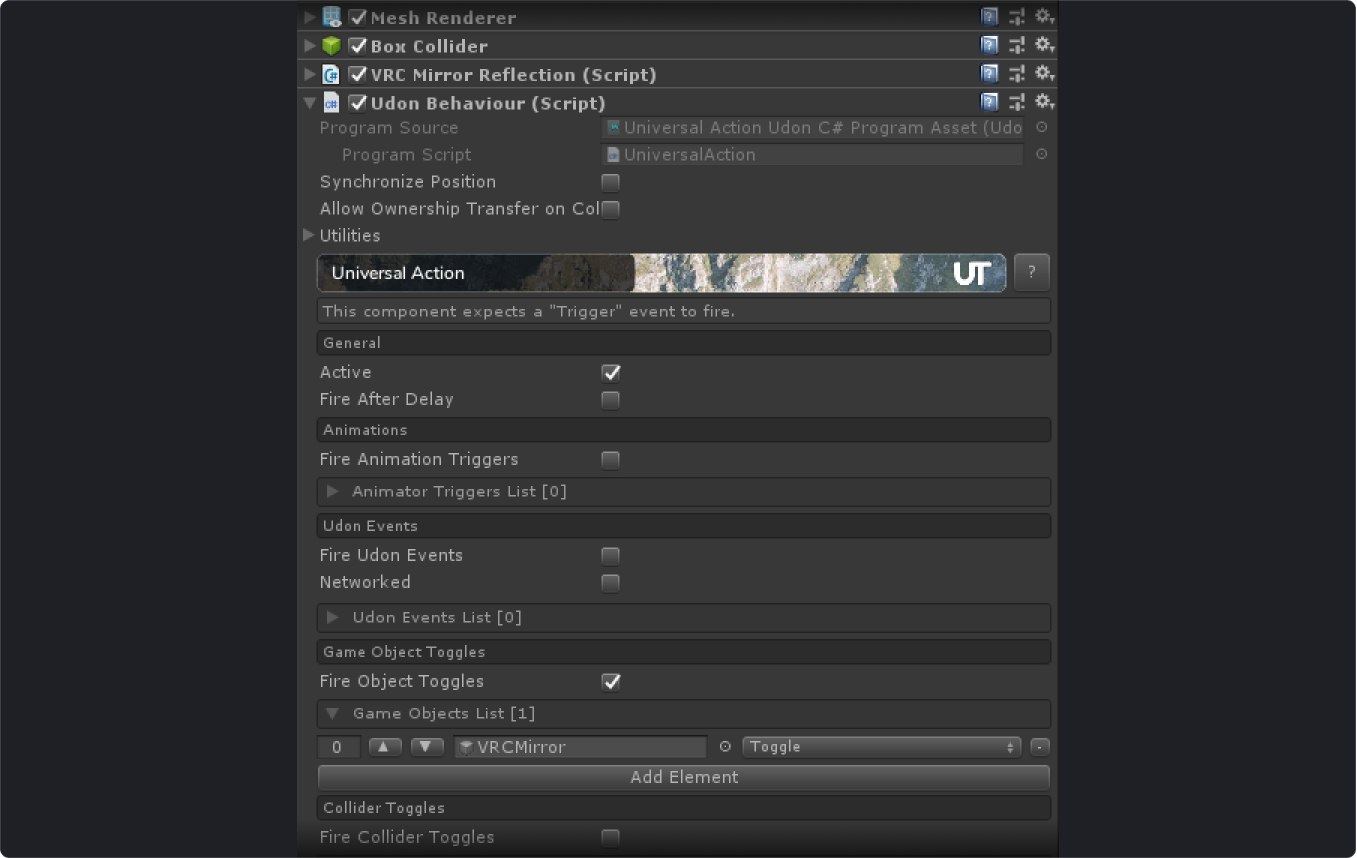
- Add a
UI -> Buttonto your scene, set theRender ModetoWorld Spaceand scale it way down and place it where you want - Add a
Ui Shapecomponent to the Canvas - Change canvas layer to
Default - Click on your Button inside the Canvas and add a new
On Click()event by clicking the small+icon in the bottom right - Drag and Drop your Mirror object into the empty field that appeared
- In the dropdown next to
Runtime OnlyselectUdonBehaviour -> SendCustomEvent(its all the way at the bottom) - Type
Triggerin the text field

You're done! Now you can toggle your mirror via UI button in Udon.
The major thing to note here is to make sure that the component, and the game object its on, is always enabled if you're using the Delay parameter, otherwise it will never fire as the Update method will never be called.