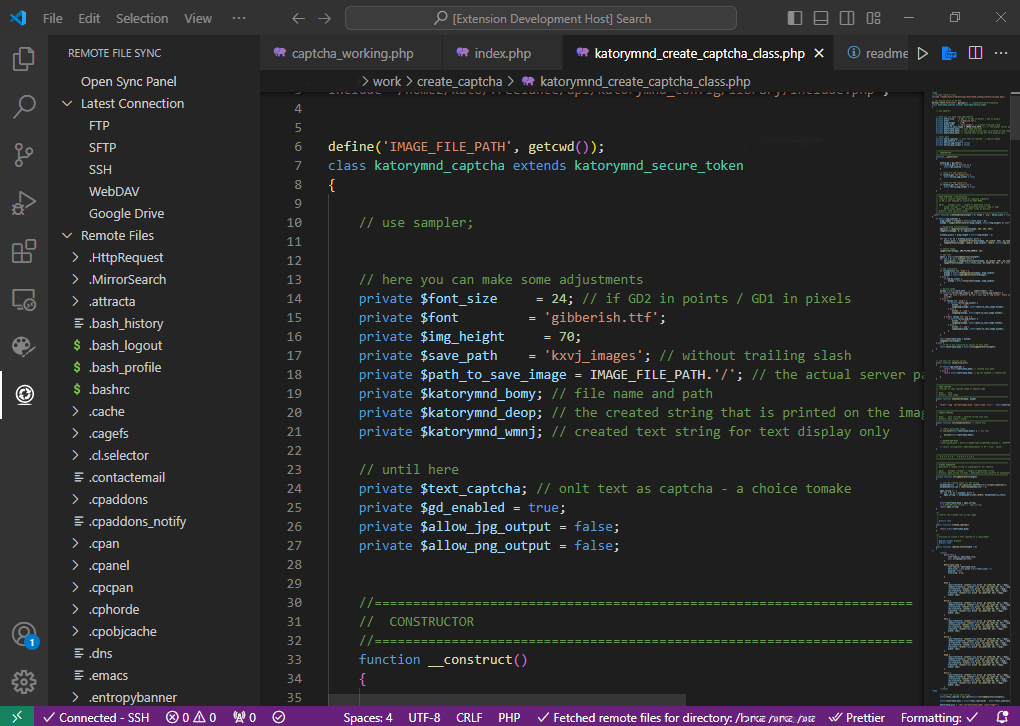
Welcome to the "Remote File Sync" extension for Visual Studio Code. This extension provides seamless file synchronization between your local workspace and remote servers, leveraging FTP, SFTP, SSH, WebDAV, and Google Drive connections.
-
Remote File Synchronization: Effortlessly sync files between your local workspace and remote servers.
-
Multiple Protocol Support: Compatible with FTP, SFTP, SSH, WebDAV, and Google Drive.
-
Connection Pooling: Manage multiple connections efficiently without compromising performance.
-
Remote File Tree View: Navigate remote directories and files without local cloning.
-
Sync Panel: Real-time monitoring and management of file synchronization.
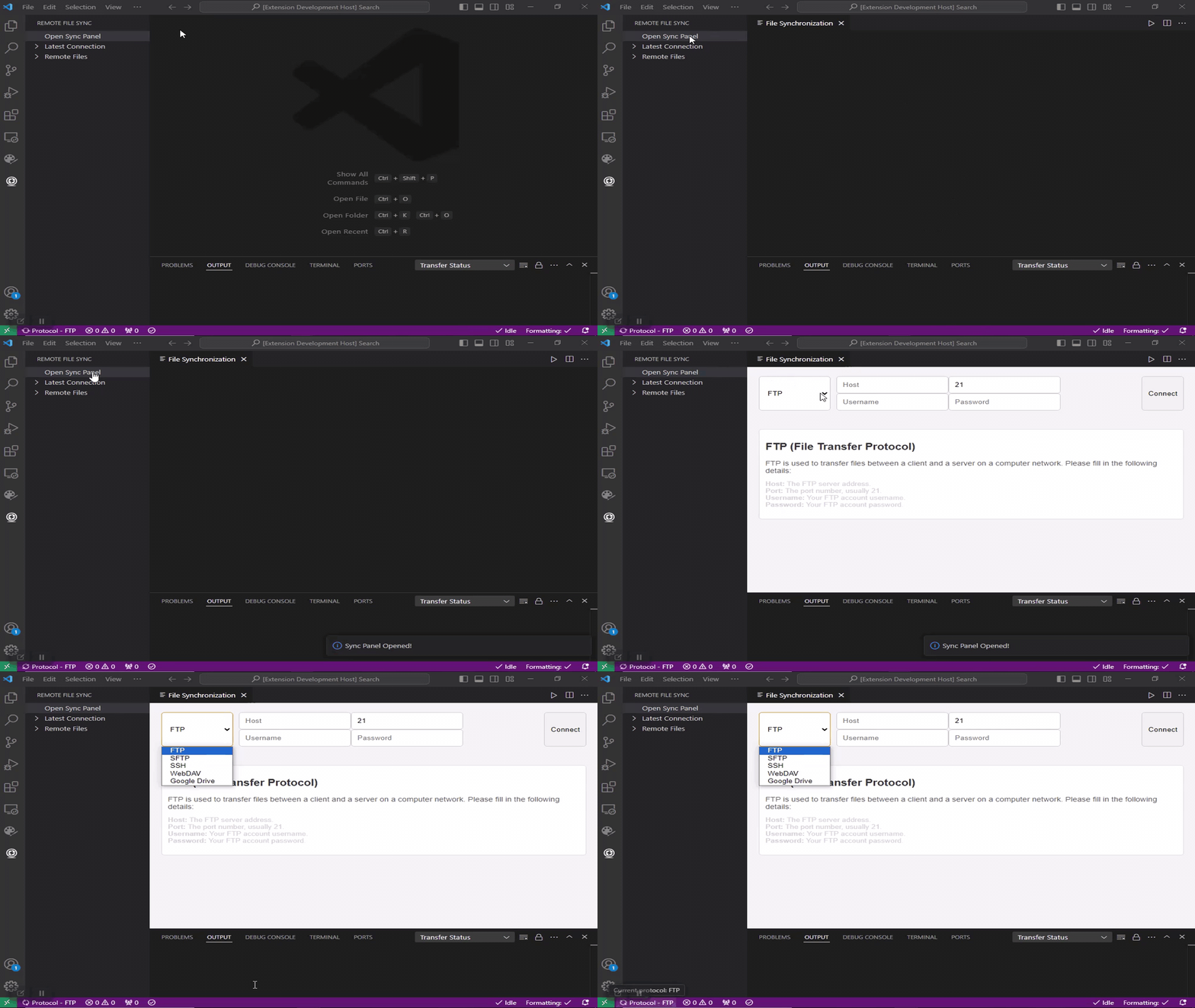
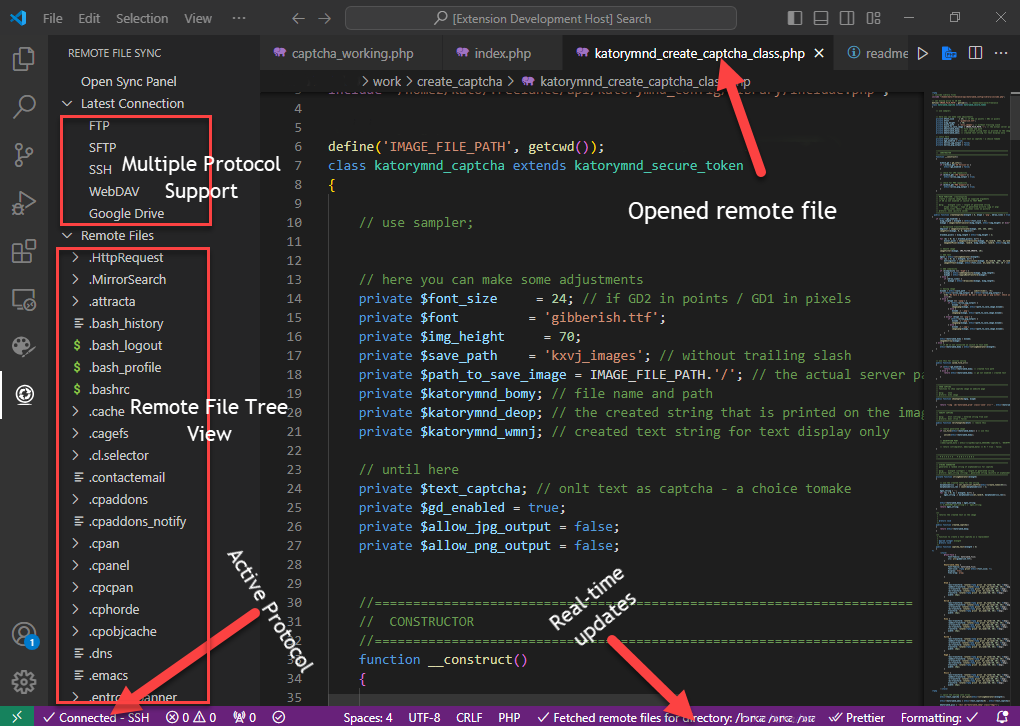
Tip: Use the Transfer Status to view updates on file synchronization dynamically.
Before using this extension, ensure you have:
- VS Code: Version 1.85.0 or newer.
- Supported Protocols: Confirm support for FTP, SFTP, SSH, WebDAV, or Google Drive API on your remote servers.
This extension contributes the following settings:
remotefilesync.openSyncPanel: Opens the synchronization panel.remotefilesync.transferStatus: Displays the transfer status.
- Large File Handling: Syncing very large files (>1GB) might impact performance. These files may also take longer to open.
- Google Drive API Limits: Be mindful of API rate limits when syncing a large number of files with Google Drive.
Certain file types are not supported for synchronization, including:
Executable Files:
.exe,.dll,.so
Image Files:
.jpg,.jpeg,.png,.gif,.bmp,.tiff,.tif
Audio Files:
.mp3,.wav,.aac,.flac
Video Files:
.mp4,.avi,.mkv,.mov,.wmv
Document Files:
.pdf,.doc,.docx,.ppt,.pptx,.xls,.xlsx
Compressed Files:
.zip,.rar,.tar,.gz
Disk Image Files:
.iso,.img,.dmg
Explore these resources to get started and make the most of Remote File Sync:
- Getting Started with Remote File Sync
- Configuring FTP, SFTP, SSH, and WebDAV
- Using the Sync Panel
- Common Troubleshooting Tips
Enjoy using Remote File Sync! If you find it helpful, please share it with a friend or colleague to help them streamline their workflow as well!