cd: This command is used to change current working directory.
cd ~: Changes directory to home directory.
cd: Changes directory to home directory.
cd <dirname>: Changes directory to the directory dirname.
pwd: This command prints the current working directory.
echo <string>: This command prints the string we give as argument.
ls: Lists files and directories. Supports flags-
ls -a: Shows hidden files too.
ls -l: Long listing of files and directories. Displays some of their characteristics.
ls -al: Displays all files(including hidden files) in long listing format.
ls ~: Displays alll files in home directory.
ls .: Same as ls.
ls ..: Displays files of parent directory of current directory.
<process> &: Takes the current process being executed to the background i.e. the terminal does not
wait for it to finish and continues taking input from user.
Ex: emacs &
pinfo <pid>: Displays process information about the process that spawned the shell if pid not given else
displays process information about process with process id pid.
nightswatch <options> <command>:
Options :
-n seconds: The time interval in which to execute the command (periodically).
Commands :
newborn: Displays pid of the newest process spawned by the computer.
interrupt: Displays how many times the Computer was interrupted by the keyboard controller.
The results are displayed till key q is pressed.
history <num>: Displays past 20 commands typed in by the user if num not given else displays past num commands.
setenv <var> <val>: Creates environment variable var with value val.
unsetenv <var>: Unsets environment variable var.
jobs: Displays all background jobs spawned by the shell along with their state. State can be either Running or Stopped.
kjob <job number> <signal number>: Sends signal corresponding to signal number to background job with
job number job number.
fg <job number>: Brings the job with job id job number to the foreground from background.
bg <job number>: Changes state of job with job id job number to Running in background.
overkill: Kills all the jobs running the background spawned by the shell.
quit: Exits the terminal.
Supports signal handling: CNTRL-C and CNTRL-Z. Terminates process when CNTRL-C is pressed. Stops the execution of the
process and moves it to the background if CNTRL-Z is pressed.
Supports piping and redirection: Input, output and error can be redirected to desired files using <, >, >>. Output
of one process can be given as input to another using | operator.
Example: ls | wc -l > d.txt
./a.out < d.txt >> ans.txt
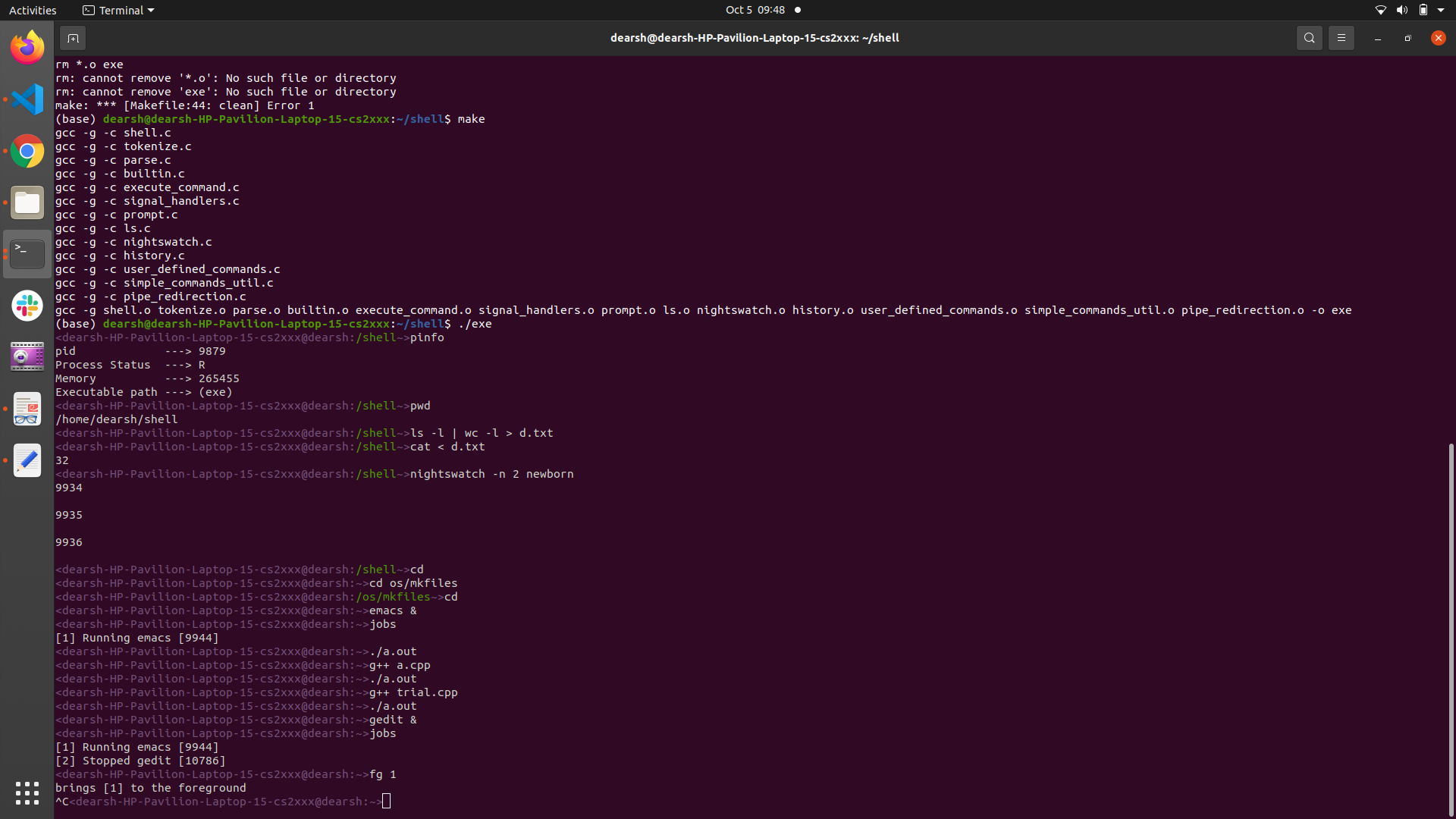
To clear the .o files, enter command make clean.
To run the terminal, first compile the code by make and then execute it by ./exe.