Application Structure
The core3 framework does not attempt to force any particular structure for applications based on it and following are just two possible approaches.
It is perfectly acceptable to work with the data layer directly and not use a workflow engine at all. The only restriction is to have all data access happen via containers.
It is also possible to use nothing other than the http controllers to create a simple service, although, that limits the authentication and authorization options (for example, local auth requires a DB).
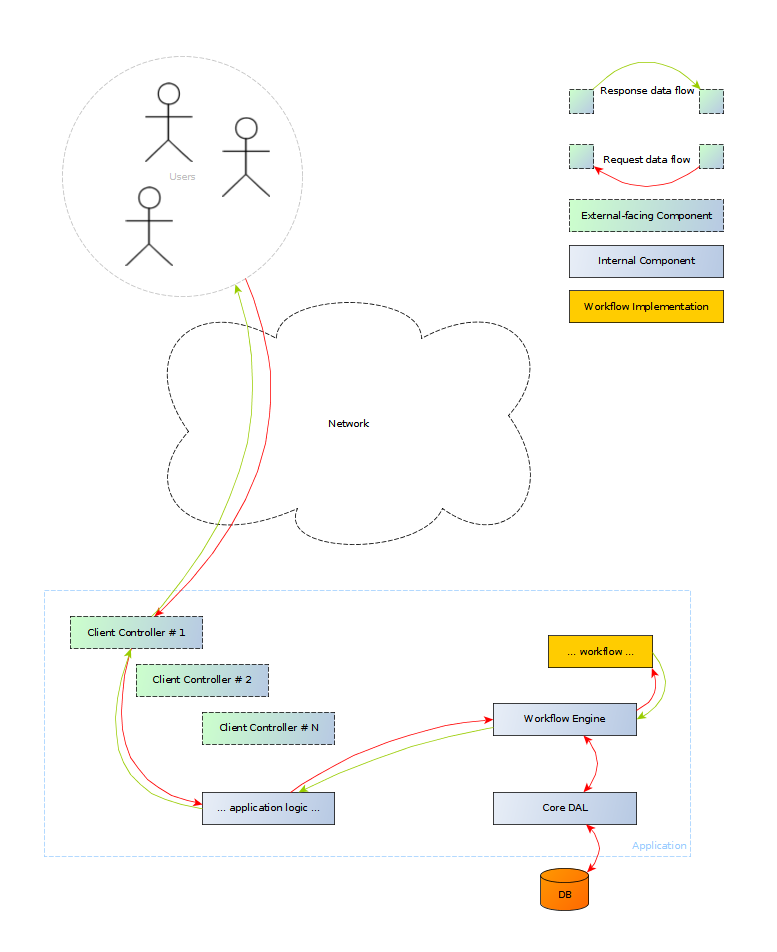
The easiest way to create a complete application with core3 is to have all components in one system/project. This avoids the complexities of managing multiple dependencies, auth configs and inter-app communication; all requests to the workflow engine are done as regular function calls. What this means is that all containers, workflows and application logic reside in the same repo.
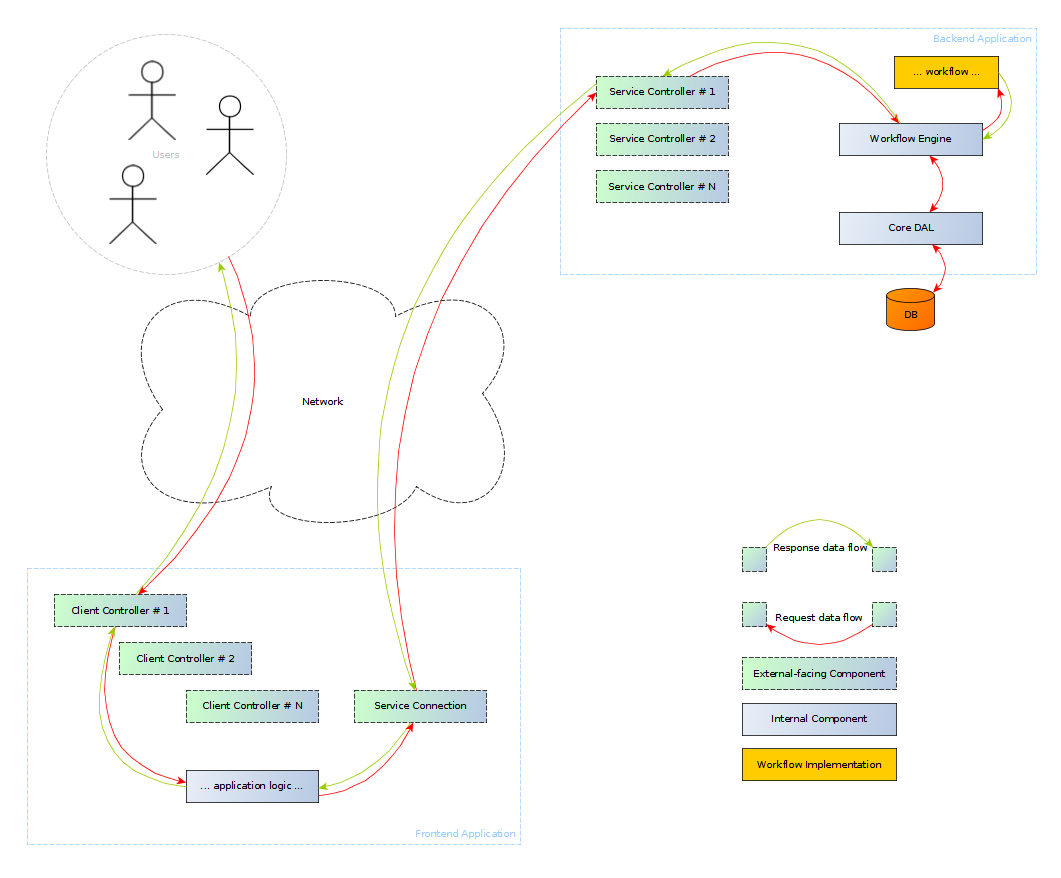
With more complex systems, it is probably better to separate a system's distinct components into their own applications and repos. For example:
-
<system-name>-containers- definition of all containers to be used by the system -
<system-name>-workflows- definition of all workflows; depends on<system-name>-containers -
<system-name>-engine- backend application codebase; depends on<system-name>-containersand<system-name>-workflows -
<system-name>-ui- frontend application codebase; depends on<system-name>-containersand<system-name>-workflows
This has the obvious disadvantage of having to update and release all dependant projects every time a change is made to a container. The advantage is having a (subjectively) cleaner and easier to manage codebase.