Overview:
🌐📝 Developed a robust blogging platform using Django, integrating responsive design principles to ensure optimal user experience across devices.
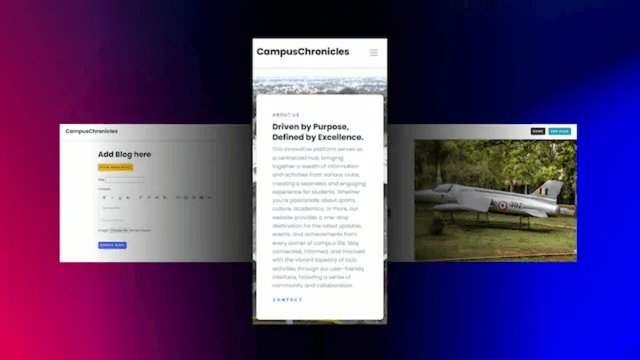
Key Features:
- Responsive Design: Implemented HTML and Bootstrap to create a responsive layout, enhancing accessibility across various devices. 📱💻
- CRUD Operations*: Utilized Django Admin for seamless CRUD (Create, Read, Update, Delete) operations, simplifying blog management tasks. ✏️🗑️
- Authentication: Implemented Django's authentication system to secure user accounts and manage access control. 🔐
- Enhanced Content Creation: Integrated Froala Editor to empower users with advanced content creation capabilities, including rich text editing. 📝✨
- Dynamic Image Processing: Leveraged Pillow library for dynamic image processing, enabling efficient handling and manipulation of images within the platform. 🖼️🔄
Technologies Used:
- Django 🕸️
- HTML 🌐
- Bootstrap
🅱️ - Froala Editor 📝
- Pillow 🖼️
Running the Platform Locally
To run the Django-based blogging platform locally, follow these steps:
- Ensure Python is installed on your system.
- Install Django using pip (pip install django).
- Clone the repository or download the source code.
- Navigate to the project directory in your terminal.
- Apply migrations and set up the database (python manage.py migrate).
- Create a superuser account (python manage.py createsuperuser).
- Start the Django development server (python manage.py runserver).
- Access the platform in your web browser at http://127.0.0.1:8000/.
- Use the admin panel at http://127.0.0.1:8000/admin/ to manage content and user accounts.
For inquiries or feedback, please contact Harsha G.
Conclusion: 🛠️📰
The development of this Django-based blogging platform showcases the integration of cutting-edge technologies to deliver a user-friendly and feature-rich blogging experience.