Tools
A set of useful and handy helpers.
Executes a line of (JavaScript) code.
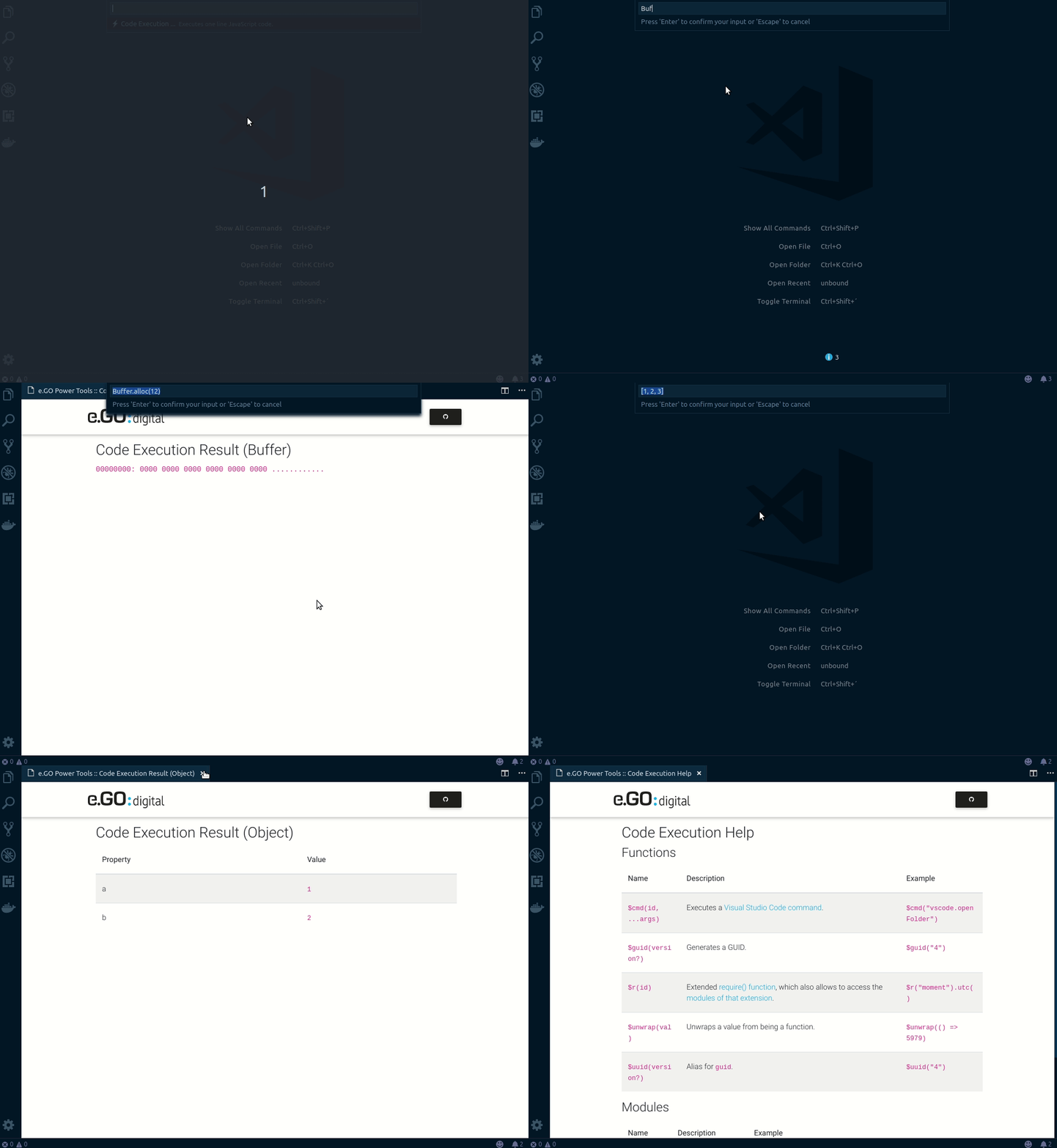
Enter $help to open the list of available functions and modules.
The CancellationToken object, to check the current progress state.
$cancel.isCancellationRequestedStores the content of the active text editor, if available.
$alert( $e )The Progress object, to control the current progress state ... s. withProgress().
$progress.report({ message: 'Hello, TM!' })Shows a (warning) popup.
$alert("Hello, TM!")Handles a value as string and returns the ASCII (codes).
$asc("T")Converts a value to a Base64 string.
$base64("mkloubert:P@ssword123!")Beautifies the code in the active editor and opens the result in a new one.
The following languages are supported:
- CSS
- HTML
- JavaScript
- JSON
- XML
$beautifyConverts a value to a Buffer, if needed.
$buff('Hello, TM!', 'utf8')Copies a value to clipboard.
$cb("TM+MK")Executes a Visual Studio Code command.
$cmd("editor.action.selectAll")Converts CMYK color from or to hex.
$cmyk(167, 255, 4)Handles a value as string to display it in a webview with syntax highlight.
$code("const TM = \'1979-09-05\';\\n\\nalert(TM);", "javascript")Compiles the code in the active editor and opens the result in a new one.
The following languages are supported:
- CoffeeScript
- LESS
- Pug
$compileHandles data as string in CSV format and displays them.
$csv( $GET('https://example.com/file.csv') )Starts a HTTP DELETE request.
$DELETE("https://example.com/users/19861222")Returns a list of emojis, by using an optional filter.
$emojis("heart")Executes the code in the currently running editor.
$execReturns a full path.
$full("dir1/subDir1_1/myFile.txt")Starts a HTTP GET request.
$GET("https://example.com/users/19790905")Generates a GUID.
$guidHashes a value.
$hash("sha1", "TM+MK")Converts HSL color from or to hex.
$hsl(1, 2, 3)Handles a values as string, and decodes the HTML entities.
$htmldec("5979 > 23979")Handles a values as string, and encodes the HTML entities.
$htmlenc("<tm>")Handles a value as image (or image url) and displays it.
$img( "https://www.e-go-mobile.com/site/assets/files/1965/batch_ego_life_website_weiss-1600x550px.jpg" )Tries to detect the public IP address.
$ip(true)Tries to detect the public IP address (version 4).
$ip4Tries to detect the public IP address (version 6).
$ip6Loads data from an URI.
$load("https://www.e-go-mobile.com/site/assets/files/1965/batch_ego_life_website_weiss-1600x550px.jpg")Handles data as string and trims from leading whitespaces.
$ltrim(' TM + MK ')Handles data as string and converts to lower case characters.
$lower('tm + MK')Handles a value as Markdown string.
$md("# Header 1\\n\\nHello, TM!")Hashes a value with MD5.
$md5("TM+MK")Returns the current time with an optional timezone.
$now("Europe/Berlin")Starts a HTTP PATCH request.
$PATCH("https://example.com/users/19790905")Converts from and to polyline.
$polyline("_p~iF~ps|U_ulLnnqC_mqNvxq`@")Starts a HTTP POST request.
$POST("https://example.com/users/19790905")Starts a HTTP PUT request.
$PUT("https://example.com/users/19790905")Generates a password.
$pwd(64)Extended require() function, which also allows to access the modules of that extension.
$r("moment").utc()Reads data from a file. Relative paths will be mapped to the directory of the currently opened editor or the .vscode-powertools sub folder inside the user's home directory.
$read("myFile.txt")Converts RGB color from or to hex.
$rgb(5, 9, 79)Resolves a value.
$res( Promise.resolve("TM"), s => s.toLowerCase() )Handles data as string and trims from ending whitespaces.
$rtrim(' TM + MK ')Hashes a value with SHA-1.
$sha1("TM+MK")Hashes a value with SHA-256.
$sha256("TM+MK")Hashes a value with SHA-384.
$sha384("TM+MK")Hashes a value with SHA-512.
$sha512("TM+MK")Returns a value or object as string that is NOT (null) and NOT (undefined).
$str(5979 + 23979)Opens a value as text in a new editor tab.
$tab("TM+MK")Handles data as string and trims from leading and ending whitespaces.
$trim(' TM + MK ')Uglifies the code in the active editor and opens the result in a new one.
The following languages are supported:
- CoffeeScript
- CSS
- HTML
- JavaScript
- JSON
- LESS
- XML
$uglifyUnwraps a value from being a function.
$unwrap(() => 5979)Handles data as string and converts to upper case characters.
$upper('tm + MK')Returns the current time in UTC.
$utcAlias for $guid.
$uuidWrites data to a file. Relative paths will be mapped to the directory of the currently opened editor or the .vscode-powertools sub folder inside the user's home directory.
$write("myFile.txt", "Data to write. Can be a string, stream or buffer")| Name | Description | Example |
|---|---|---|
_ |
lodash | _.isString(5979) |
$fs |
fs-extra | $fs.existsSync("/path/to/something") |
$h |
helpers | $h.normalizeString("TM+MK") |
$m |
Moment.js | $m() |
$o |
opn | $o("https://e-go-digital.com") |
$vs |
Visual Studio Code API | $vs.commands.getCommands |
If you would like to define key bindings for quick access, you can use the following command:
| Name | Description |
|---|---|
ego.power-tools.codeExecution |
Opens the input box for executing JavaScript code. |
Generates TypeScript code from JSON or JavaScript (this command is only available, if you have an active, opened JSON or JavaScript editor).
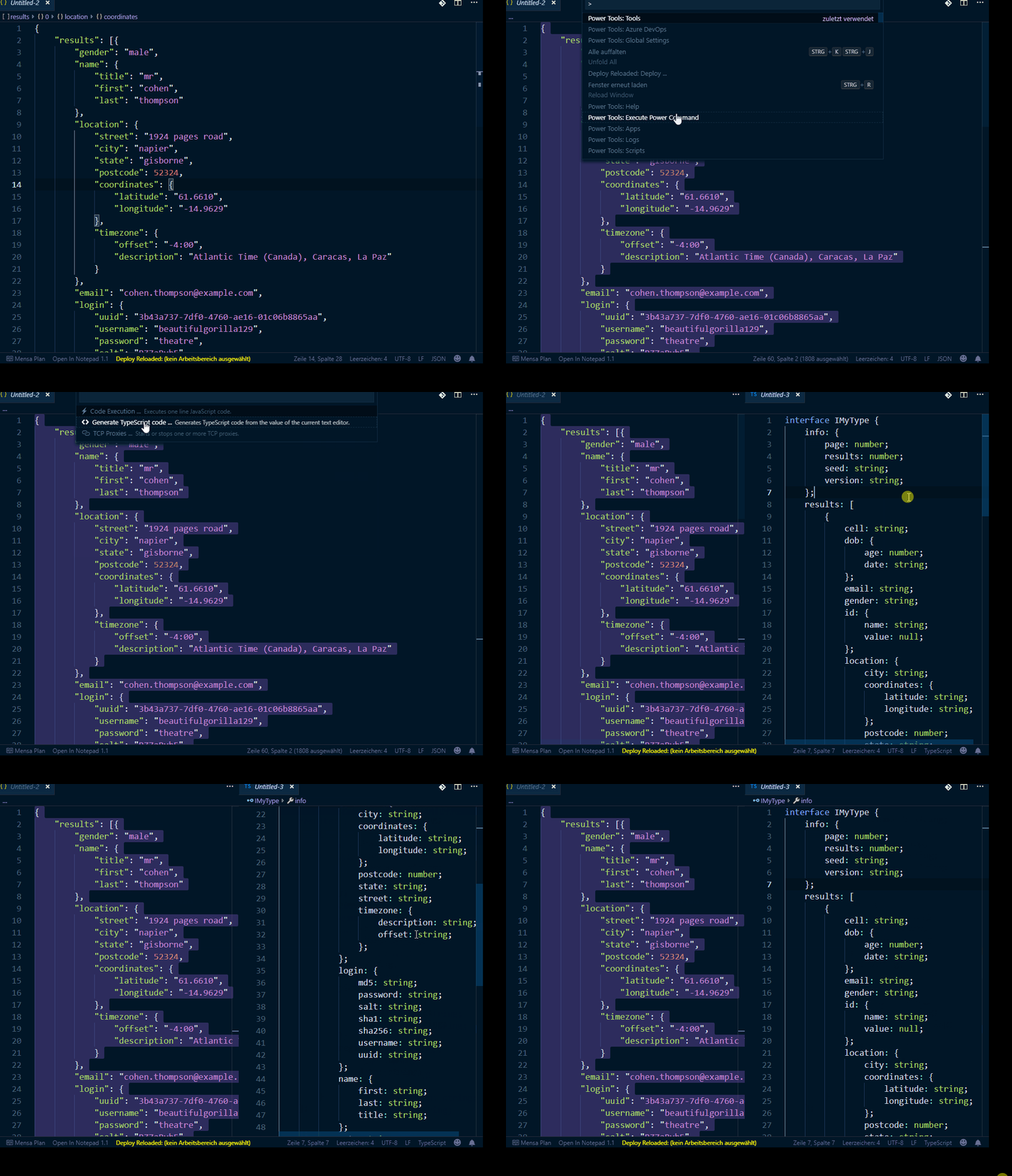
Keep in mind: JavaScript code will be executed and NOT parsed as JSON documents!
Manages TCP proxies.
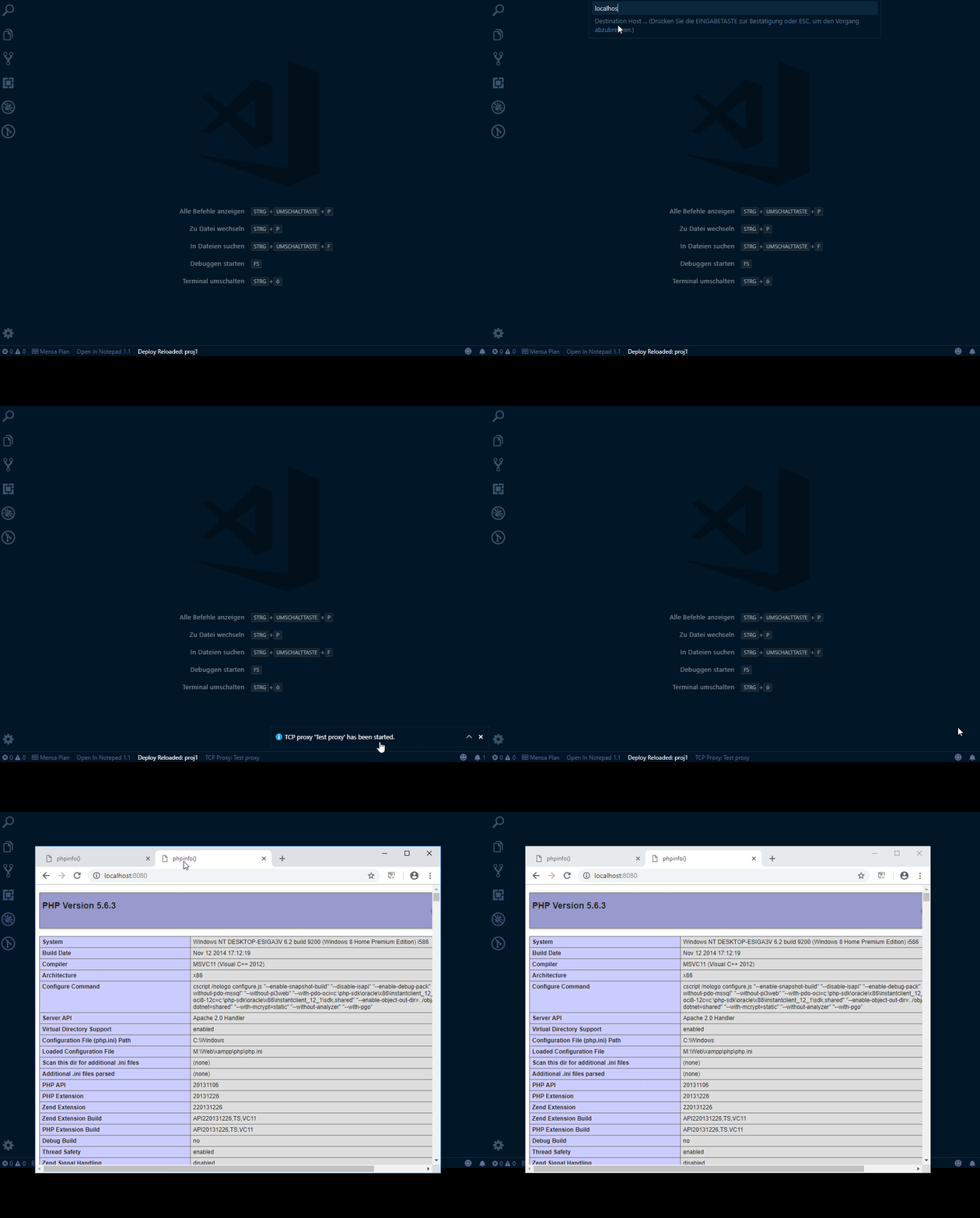
If you would like to define key bindings for quick access, you can use the following command:
| Name | Description |
|---|---|
ego.power-tools.tcpProxies |
Opens the list of sub commands for handling TCP proxies. |