Tools
A set of useful and handy helpers.
Executes a line of (JavaScript) code.
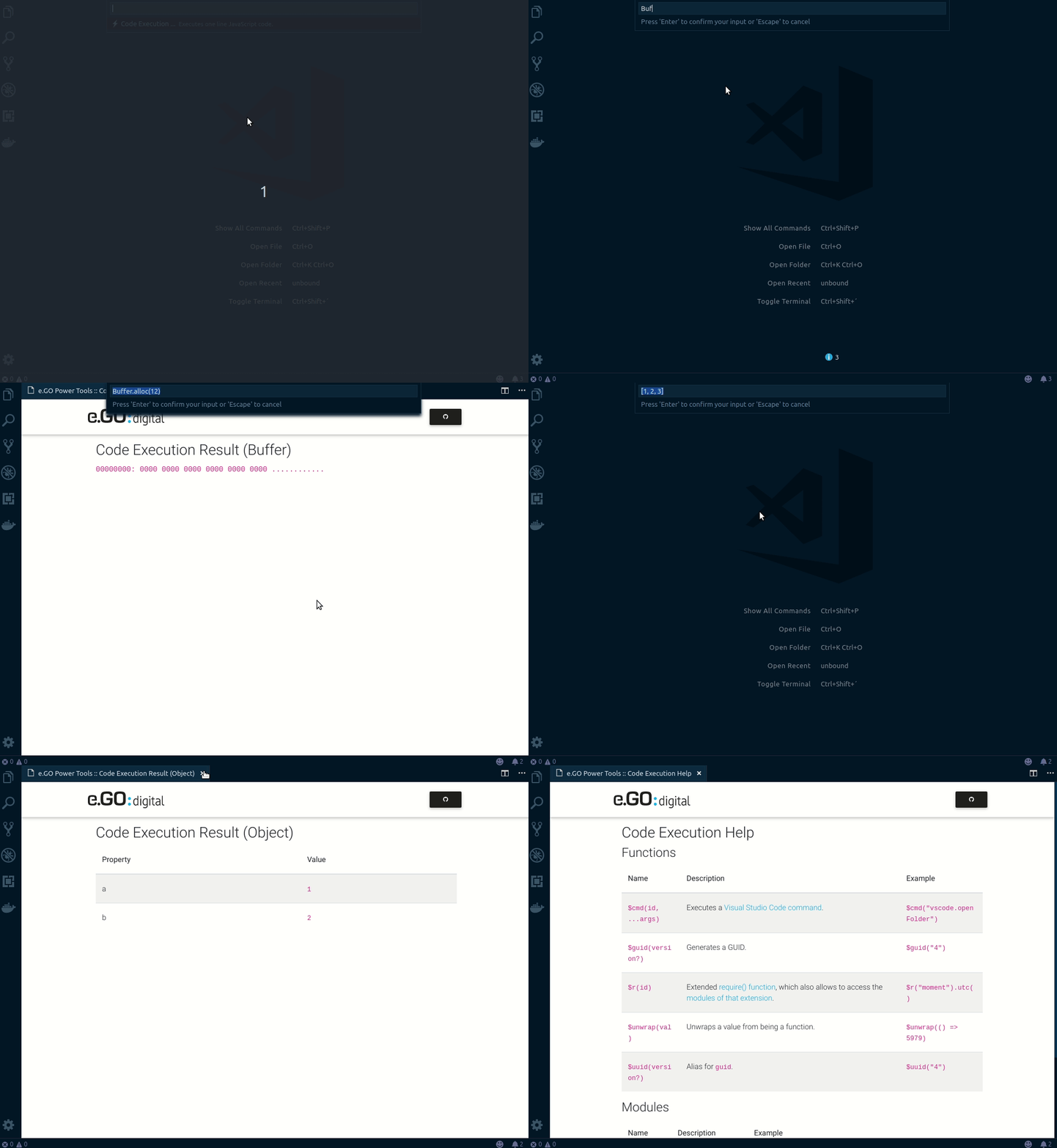
Enter $help to open the list of available functions and modules.
The CancellationToken object, to check the current progress state.
$cancel.isCancellationRequestedStores the content of the active text editor, if available.
$alert( $e )The Progress object, to control the current progress state ... s. withProgress().
$progress.report({ message: 'Hello, TM!' })Shows a (warning) popup.
$alert("Hello, TM!")Handles a value as string and returns the ASCII (codes).
$asc("T")Beautifies the code in the active editor and opens the result in a new one.
The following languages are supported:
- CSS
- HTML
- JavaScript
$beautifyConverts a value to a Buffer, if needed.
$buff('Hello, TM!', 'utf8')Executes a Visual Studio Code command.
$cmd("editor.action.selectAll")Compiles the code in the active editor and opens the result in a new one.
The following languages are supported:
- CoffeeScript
- LESS
$compileHandles data as string in CSV format and displays them.
$csv( $GET('https://example.com/file.csv') )Starts a HTTP DELETE request.
$DELETE("https://example.com/users/19861222")Returns a list of emojis, by using an optional filter.
$emojis("heart")Executes the code in the currently running editor.
$execReturns a full path.
$full("dir1/subDir1_1/myFile.txt")Starts a HTTP GET request.
$GET("https://example.com/users/19790905")Generates a GUID.
$guidHashes a value.
$hash("sha1", "TM+MK")Handles a values as string, and decodes the HTML entities.
$htmldec("5979 > 23979")Handles a values as string, and encodes the HTML entities.
$htmlenc("<tm>")Tries to detect the public IP address.
$ip(true)Tries to detect the public IP address (version 4).
$ip4Tries to detect the public IP address (version 6).
$ip6Handles data as string and trims from leading whitespaces.
$ltrim(' TM + MK ')Handles data as string and converts to lower case characters.
$lower('tm + MK')Handles a value as Markdown string.
$md("# Header 1\\n\\nHello, TM!")Hashes a value with MD5.
$md5("TM+MK")Returns the current time with an optional timezone.
$now("Europe/Berlin")Starts a HTTP PATCH request.
$PATCH("https://example.com/users/19790905")Starts a HTTP POST request.
$POST("https://example.com/users/19790905")Starts a HTTP PUT request.
$PUT("https://example.com/users/19790905")Generates a password.
$pwd(64)Extended require() function, which also allows to access the modules of that extension.
$r("moment").utc()Reads data from a file. Relative paths will be mapped to the directory of the currently opened editor or the .vscode-powertools sub folder inside the user's home directory.
$read("myFile.txt")Resolves a value.
$res( Promise.resolve("TM"), s => s.toLowerCase() )Handles data as string and trims from ending whitespaces.
$ltrim(' TM + MK ')Hashes a value with SHA-1.
$sha1("TM+MK")Hashes a value with SHA-256.
$sha256("TM+MK")Hashes a value with SHA-384.
$sha384("TM+MK")Hashes a value with SHA-512.
$sha512("TM+MK")Handles data as string and trims from leading and ending whitespaces.
$trim(' TM + MK ')Uglifies the code in the active editor and opens the result in a new one.
The following languages are supported:
- CoffeeScript
- CSS
- JavaScript
- LESS
$uglifyUnwraps a value from being a function.
$unwrap(() => 5979)Handles data as string and converts to upper case characters.
$upper('tm + MK')Returns the current time in UTC.
$utcAlias for $guid.
$uuidWrites data to a file. Relative paths will be mapped to the directory of the currently opened editor or the .vscode-powertools sub folder inside the user's home directory.
$write("myFile.txt", "Data to write. Can be a string, stream or buffer")| Name | Description | Example |
|---|---|---|
_ |
lodash | _.isString(5979) |
$fs |
fs-extra | $fs.existsSync("/path/to/something") |
$h |
helpers | $h.normalizeString("TM+MK") |
$m |
Moment.js | $m() |
$o |
opn | $o("https://e-go-digital.com") |
$vs |
Visual Studio Code API | $vs.commands.getCommands |
If you would like to define key bindings for quick access, you can use the following commands:
| Name | Description |
|---|---|
ego.power-tools.codeExecution |
Opens the input box for executing JavaScript code. |