[MULTIPLE issues] #2


Description

The trial version has too many limitations to give this program a usability test.
I would recommend having it feature-unlimited for 15 days, then limiting features
TaskLayout has no limitations when working in trial mode (14 days).
Where's the Help file? Not the tutorial video, it doesn't explain anything.
We've to started to develop documentation. Please refer to the following pages:
TaskLayout Glossary: http://www.systemgoods.com/wiki/glossary.php
TaskLayout Wiki: http://www.systemgoods.com/wiki/
- And needs to be updated.
what's 'Navigate Shell windows' for? open vs. pickup?
This feature allow to reuse visible shell windows when restoring layout. Assume the following:
- There is an opened shell folder on the desktop with target path C:\
- The layout has command to open D:\
- Navigate Shell windows set to Open a new: when opening layout existing shell folder will be ignored, i.e. TaskLayout will always open new shell folder navigated to D:\ (if there no other window navigated to D:, navigation history in the created window is empty). Result: 2 shell windows in the taskbar.
- Navigate Shell windows set to Pickup existing: when opening layout existing shell folder will be reused, i.e. TaskLayout will navigate this window to D:\ (navigation history will be preserved). Result: 1 shell window in the taskbar.
Use this option set to 'Open a new' if you wont TaskLayout to break existing shell windows layout (all of these have different targets, different from the one specified in layout).
TaskLayout v0.5.2.0:
Settings window - shortcuts:
Typo: 'Activate previons window' --- should be 'Activate previous window'
Fixed
When saving a layout, Windows 10 does not allow a user to save in the \Program Files\TaskLayout folder - the user must save to a different location. When opening a layout, a user must remember where else they saved layout files. TaskLayout should remember where saved layout files are saved, or use a folder in %Documents% as default.
I installed TaskLayout to C:\Program Files, in Windows 10
The update will not install in that location - "Access Denied".
It looks like there is a problem with access rights. As a workaround, you can grant your current user with full access rights for TaskLayout-folder and restart TL. After that you should be able to save layouts there and update should also succeed.
TaskLayout should be able to (optionally) auto-add by itself to a Layout any additional windows/apps/files you open. It should monitor window/app/file openings, and if it's one that the user has set to monitor (see next), it should (selectable) add it to the current Layout file.
So, say I have an explorer window, a text file open in NotePad, and an image opened in Paint.
when creating a Layout.TLF file, there should be a way to select 'monitor & add...' and I should be able to select various apps (by selecting, say, "Paint - *" (meaning anything opened in Paint), or something)
You can setup "Adjust windows" layout (no application startup) to arrange specific applications (no matter which document is opened in it). Please consider the following sample layout for paint, notepad, shell folder C:\
When saving a layout, in the Save Layout window, there SHOULD be a way to select ALL.
So, say I have 72 files open that I'd like to mark: Rather than clicking each individual file, I should be able to 'Select all', then go back and de-select those I do not want it to save/store.
'Select all' is now available in the Layout editor
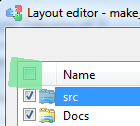
When saving a layout, I should be able to sort the columns by name, application, etc.
- And it should store them in the Layout.TLF file in that sort order
Again, I should be able Select All of each specific type, ALSO
TODO: Rethink.
When loading Layout files, rather than just getting an error message saying it was unable to load such-and-such a file (due to timeout waiting), it should auto-try again after a user-selectable time. For example, if the layout is attempting to load a text file AFTER loading an explorer window that happens to have a large amount of files, the text file will time out and fail to load because the explorer window is taking too long. TaskLayout should retry to load the text file after a (user-defineable) set amount of time, AND/OR, for those files it fails to load, it should retry after all other files have been loaded.
How to make TaskLayout not to hang my slow PC when opening layouts:
http://www.systemgoods.com/wiki/#q6
What/Where/How to use the 'Finder'?
"explore visible windows with Finder tool (retrieve command line and other properties)"
What is Finder tool: http://www.systemgoods.com/wiki/glossary.php#q20
How to create layout with Finder tool: http://www.systemgoods.com/wiki/#q8
I would like the ability to add currently-open documents/files/windows to an existing TaskLayout
Please do the following:
- Settings> Layouts> Layout editor
- Add> empty Command settings editor will popup
- Use Finder tool and pickup any of existing window from desktop directly
I would like the ability to open a Layout's file, and open a specific file/folder directly:
For example, say in a saved layout I have 50 files/folders. Say I didn't want to open ALL of them, I just wanted to open 2 of them. I would like some option to 'browse' a saved layout, and open 'just' selected files.
TODO: Rethink.
BEFORE the UPDATED version, now it's not storing File Paths, or Incorrectly storing them, in the TLF files [EDIT: SEE 'UPDATED:', below]
NOT STORING PATH to files:
So upon reopening image files, for example it opens a blank document
Path to file:
C:\some folder\some file.jpg<WINDOW NAME="some file.jpg - Paint" SHELL_EXECUTE="0" COMMANDLINE='"C:\WINDOWS\system32\mspaint.exe" ' CURRENT_FOLDER="C:\WINDOWS\system32" ACTION="0" CLASSNAME="MSPaintApp" CLASSNAME_REGEX="0" CLASSNAME_IGNORECASE="0" WINDOWNAME="some file.jpg - Paint" WINDOWNAME_REGEX="0" WINDOWNAME_IGNORECASE="0" IGNORE_PID="0">SHOWS 'Window Name' TWICE
NO PATH to the FILEon ALL .jpg images
For SOME, it stores the WRONG PATH:
C:\some folder\some file.txt<WINDOW NAME="some file.txt - Notepad" SHELL_EXECUTE="0" COMMANDLINE='"C:\Windows\notepad.exe" ' CURRENT_FOLDER="C:\Windows" ACTION="0" CLASSNAME="Notepad" CLASSNAME_REGEX="0" CLASSNAME_IGNORECASE="0" WINDOWNAME="some file.txt - Notepad" WINDOWNAME_REGEX="0" WINDOWNAME_IGNORECASE="0" IGNORE_PID="0">It does this for folders, and multiple but not all text documents
UPDATE on the 'not storing path' issues: This problem is related to pinned apps: If a pinned app opens a new document, and then that document is saved, TaskLayout does NOT store it's path. If the document was opened thru other means, then TaskLayout DOES store its path.
Fixed. Since v0.7.0.0 TaskLayout is able to retrieve path for currently active document from several applications (e.g . Notepad, Paint, WordPad, etc).

Fixed. There was a bug in automatic download.
~StarWolff
StarWolff@hotmail.com