Update to the latest Docker Image
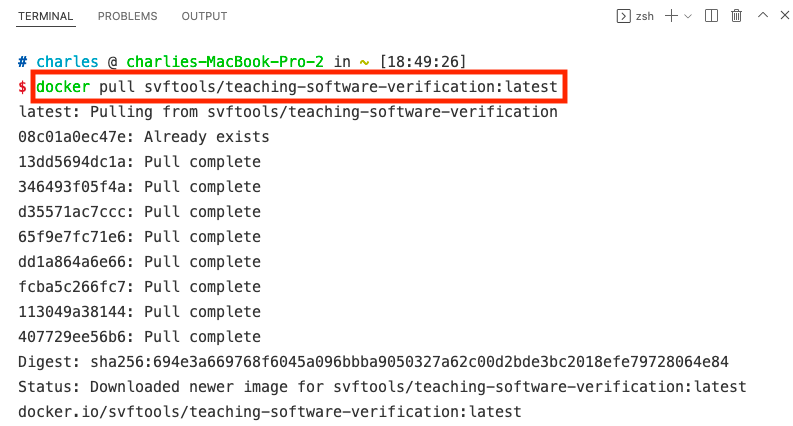
docker pull svftools/teaching-software-verification:latest
-
Mac & Linux:
docker run -itd svftools/teaching-software-verification:latest /bin/bash -
Windows:
docker run -itd svftools/teaching-software-verification:latest

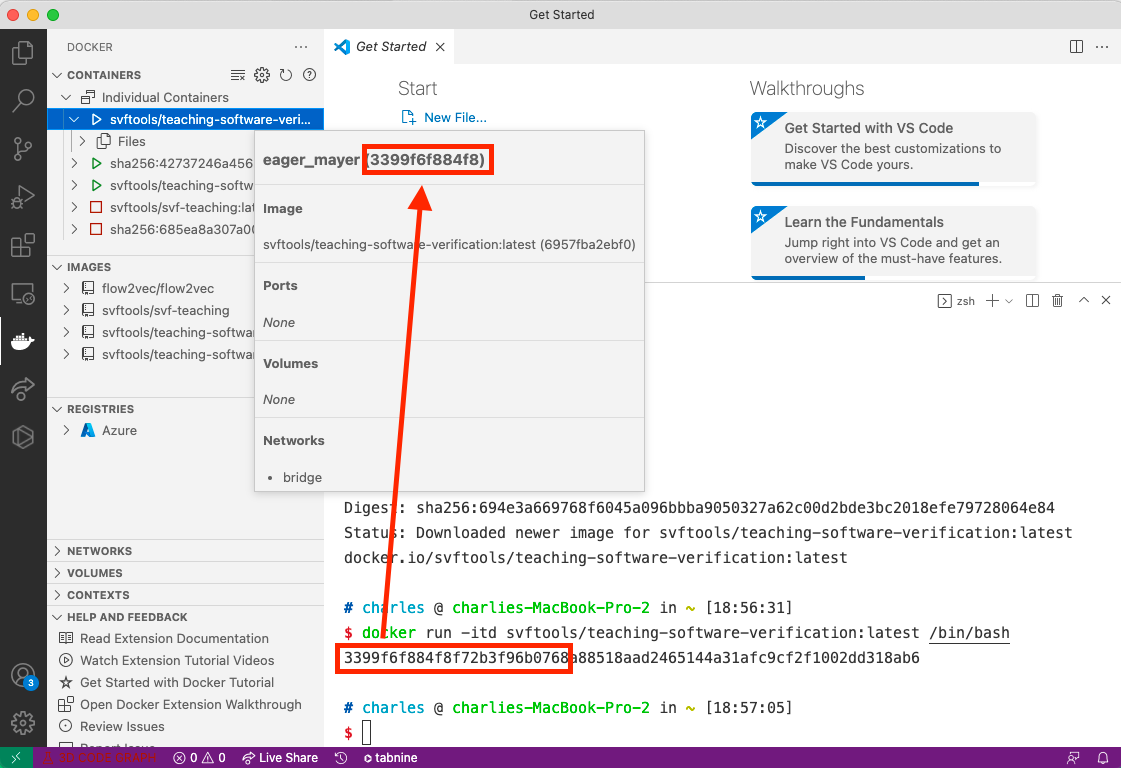
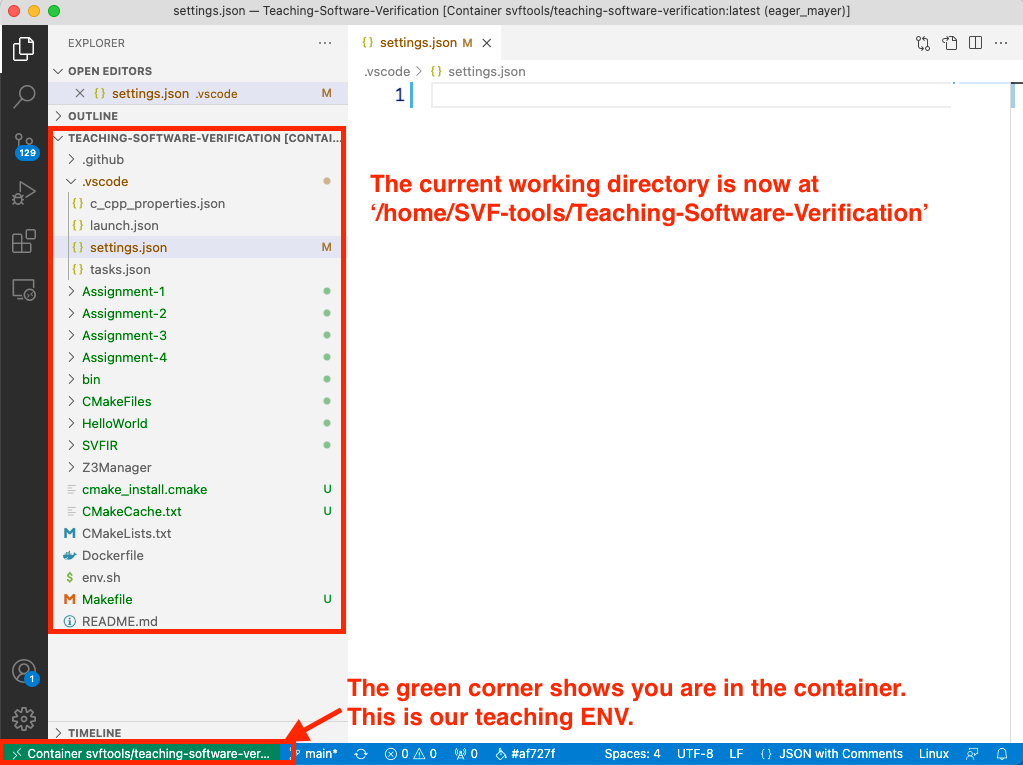
3. Make sure you are opening the newly executed container with the same series number. (You can hover the mouse on the container)